Emulation & ROM Library Orchestration
Cross-platform emulator discovery for 17+ emulators, intelligent ROM folder scanning, automatic multi-disc grouping, and seamless 1-click execution.
The Mission Control Emulation Engine unifies your physical console game backups, standalone emulators, and RetroArch libretro cores alongside modern PC storefronts (Steam, Epic Games, GOG, Xbox, EA, Ubisoft) within a single glassmorphic library interface.
📸 Interface & Emulation Showcase
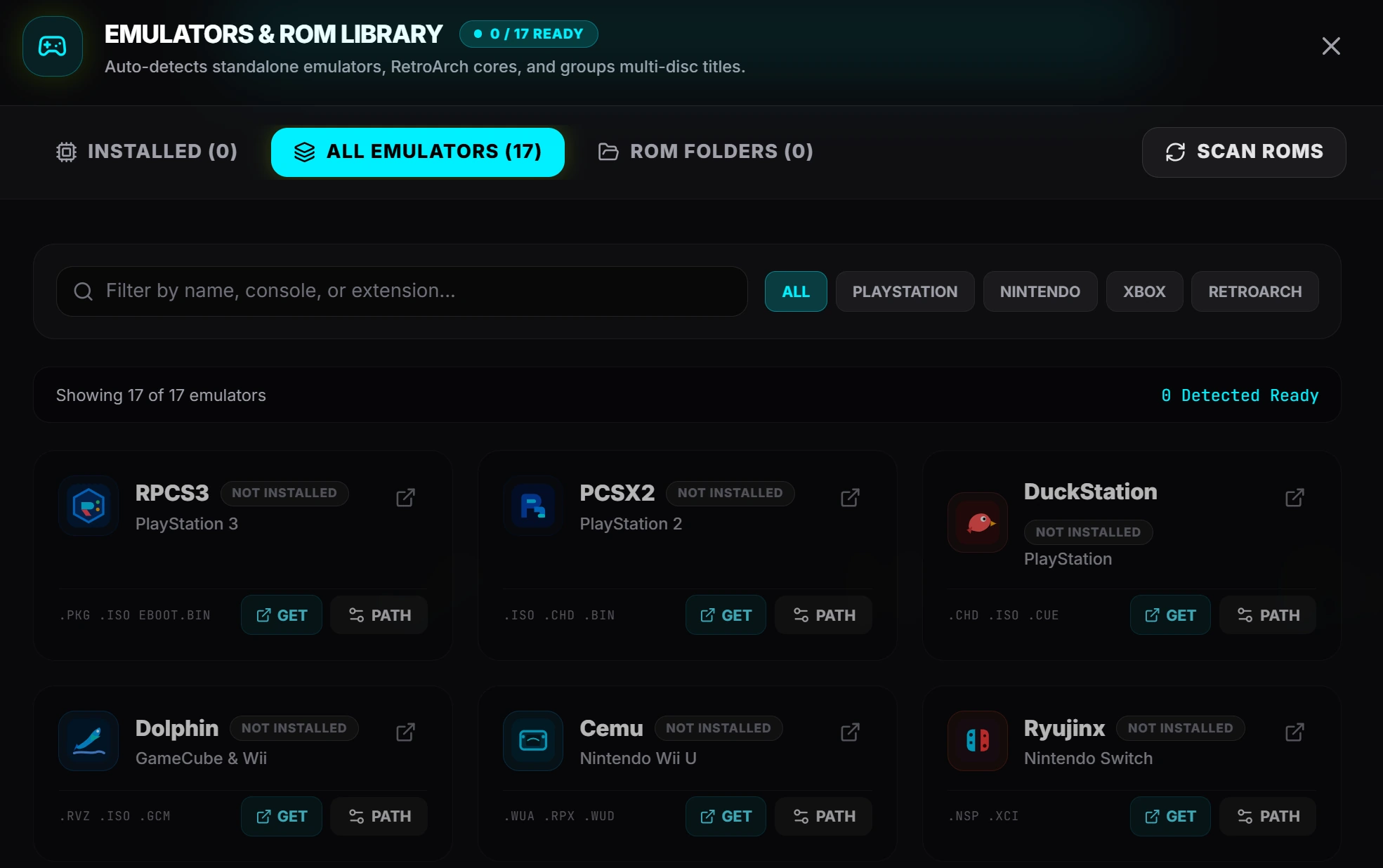
| 🖥️ Glassmorphic Emulators Hub | 📁 Custom ROM Folders & Scanning |
|---|---|
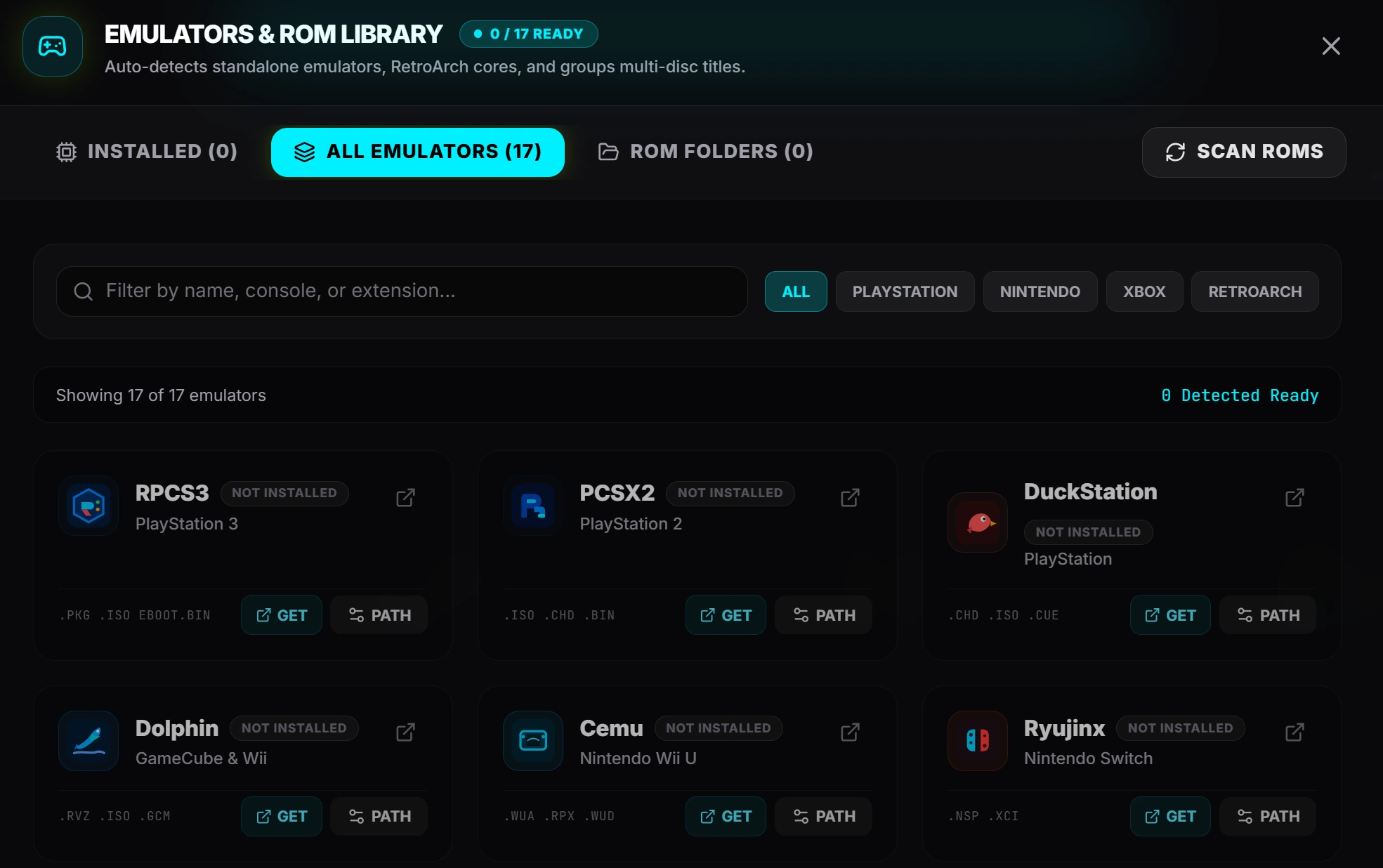 | 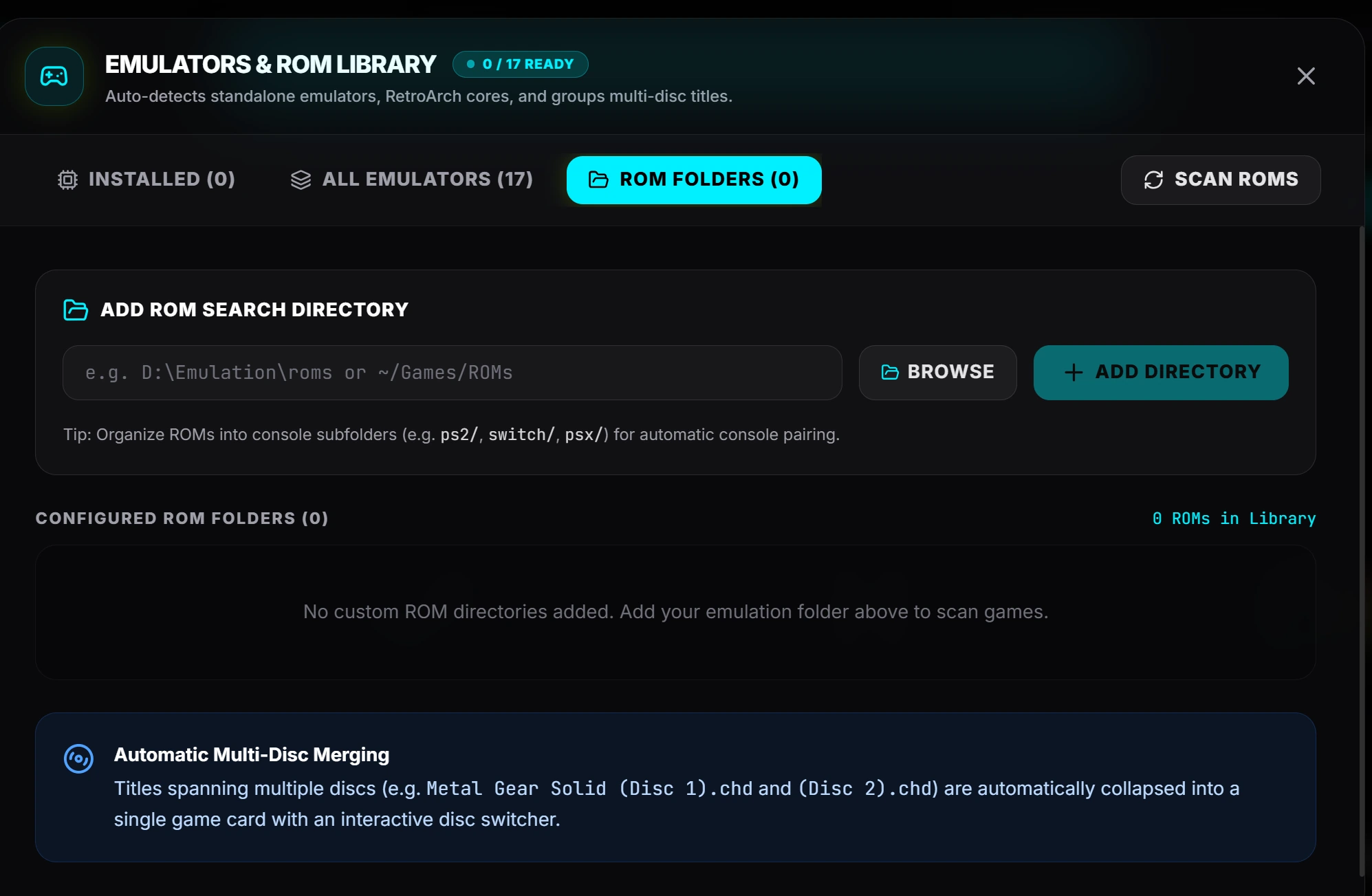 |
| Real-time auto-discovery of 17+ standalone emulators with instant status telemetry | Multi-drive custom ROM directories with recursive re-indexing and path validation |
| 🎮 Unified Library (Emulation Filter) | 🎛️ Console Emulation Suite Modal |
|---|---|
 |  |
| Console titles merged seamlessly with PC games featuring in-card disc pickers | Interactive emulator setup, binary overrides, and RetroArch core resolution |
| 🍷 Linux Wine & Proton Environment | 🎛️ Compatibility Runner Showcase |
|---|---|
 | 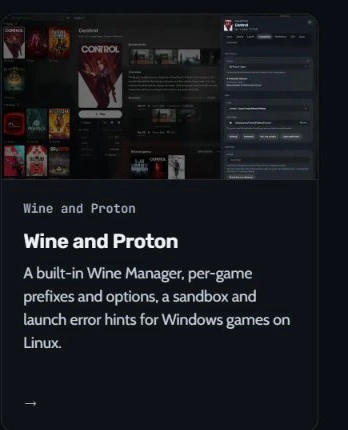 |
| Sandboxed Wine prefixes, DXVK/VKD3D translation, and GE-Proton runner management | Integrated runner switching, runtime error diagnostics, and per-game DLL overrides |
🏗️ Architectural Overview & Pipeline
SYSTEM ARCHITECTURE DIAGRAMMERMAID SVG ENGINEGenerating visual flowchart...
🎯 Core Features
1. 🔍 Cross-Platform Auto-Discovery (17+ Emulators)
Mission Control automatically discovers standalone emulators and RetroArch installations across Windows and Linux:
- PlayStation Family: RPCS3 (PS3), PCSX2 (PS2), DuckStation (PS1), Vita3K (PS Vita), PPSSPP (PSP).
- Nintendo Ecosystem: Ryujinx (Switch), Dolphin (GameCube & Wii), Cemu (Wii U), Lime3DS & Citra (3DS), melonDS (NDS), mGBA (GBA), Snes9x (SNES), Mupen64Plus (N64).
- Xbox Consoles: Xenia & Xenia Canary (Xbox 360), Xemu (Original Xbox).
- Sega & Multi-System: Flycast (Dreamcast), RetroArch (scans all installed
libretrocore.dlland.somodules).
Custom executable paths and manual binary overrides can be set directly in theEmulators & ROMs Hubor viaGaming/backend/config/emulator_overrides.json.
📋 Supported Emulators & System Matrix
| Console | Primary Emulator | Fallback / Core | Common File Extensions | Windows Default Discovery Paths | Linux Default Paths |
|---|---|---|---|---|---|
| PlayStation 3 | RPCS3 | — | .pkg, .iso, EBOOT.BIN | %LOCALAPPDATA%\RPCS3, C:\RPCS3, D:\RPCS3 | ~/.var/app/net.rpcs3.RPCS3, /usr/bin/rpcs3 |
| PlayStation 2 | PCSX2 | RetroArch (pcsx2) | .iso, .chd, .bin, .cue, .gz | %LOCALAPPDATA%\PCSX2, C:\PCSX2, Program Files | ~/.var/app/net.pcsx2.PCSX2, /usr/bin/pcsx2 |
| PlayStation 1 | DuckStation | RetroArch (beetle_psx_hw) | .chd, .cue, .iso, .pbp, .bin | %LOCALAPPDATA%\DuckStation, C:\DuckStation | ~/.var/app/org.duckstation.DuckStation |
| PS Vita | Vita3K | — | .vpk, .zip, .pkg | %APPDATA%\Vita3K, C:\Vita3K | ~/.var/app/org.vita3k.Vita3K |
| PSP | PPSSPP | RetroArch (ppsspp) | .iso, .cso, .chd, .pbp | %PROGRAMFILES%\PPSSPP, %APPDATA%\PPSSPP | /usr/bin/PPSSPPSDL, org.ppsspp.PPSSPP |
| Nintendo Switch | Ryujinx | — | .nsp, .xci | %APPDATA%\Ryujinx, C:\Ryujinx | ~/.config/Ryujinx, Flatpak |
| GameCube & Wii | Dolphin | RetroArch (dolphin) | .iso, .rvz, .wbfs, .gcm, .ciso | %APPDATA%\Dolphin Emulator, C:\Dolphin | ~/.var/app/org.DolphinEmu.dolphin-emu |
| Nintendo Wii U | Cemu | — | .wux, .wua, .rpx | %LOCALAPPDATA%\Cemu, C:\Cemu | ~/.var/app/info.cemu.Cemu |
| Nintendo 3DS | Lime3DS / Citra | RetroArch (citra) | .3ds, .cia, .cxi | %LOCALAPPDATA%\Lime3DS, %APPDATA%\Citra | ~/.var/app/io.github.lime3ds.Lime3DS |
| Nintendo DS | melonDS | RetroArch (melonds) | .nds, .bin | %APPDATA%\melonDS, C:\melonDS | /usr/bin/melonds, Flatpak |
| Game Boy Advance | mGBA | RetroArch (mgba) | .gba, .bin, .zip | %PROGRAMFILES%\mGBA, C:\mGBA | /usr/bin/mgba, Flatpak |
| Super Nintendo | Snes9x | RetroArch (snes9x) | .sfc, .smc, .zip | C:\Snes9x, D:\Snes9x | /usr/bin/snes9x-gtk |
| Nintendo 64 | Mupen64Plus | RetroArch (mupen64plus_next) | .z64, .n64, .v64, .zip | C:\Mupen64Plus, %PROGRAMFILES% | /usr/bin/mupen64plus |
| Xbox 360 | Xenia | Xenia Canary | .iso, .xex | C:\Xenia, %LOCALAPPDATA%\Xenia | /usr/bin/xenia |
| Original Xbox | Xemu | — | .iso, .xbe | %APPDATA%\xemu, C:\Xemu | ~/.var/app/app.xemu.xemu |
| Dreamcast | Flycast | RetroArch (flycast) | .cdi, .gdi, .chd | C:\Flycast, %APPDATA%\Flycast | /usr/bin/flycast |
💿 Multi-Disc Aggregation Engine
Classic role-playing games and adventure titles frequently span multiple disc images (Disc 1, Disc 2, CD1, CD2). Mission Control features an automated multi-disc grouping algorithm that prevents library clutter:
SYSTEM ARCHITECTURE DIAGRAMMERMAID SVG ENGINEGenerating visual flowchart...
Pattern Matching Heuristics
The engine matches expressions conforming to:
(Disc 1),(Disc 2),[Disc 1],[Disc 2](CD 1),(CD 2),(CD1),(CD2)(Disk 1),(Disk 2)_disc1,_disc2,-disc1,-disc2
When detected, Mission Control creates a single card in your Game Intelligence dashboard with an interactive disc selector dropdown (Disc 1, Disc 2, etc.), allowing you to choose which disc to boot into the emulator on the fly.
🎨 Local Cover Artwork Resolution
The scanner checks for local boxart and poster images using high-priority adjacent lookups before falling back to external sources:
<game_folder>/<rom_stem>.pngor<rom_stem>.jpg<game_folder>/<rom_stem>-cover.jpg<game_folder>/<base_title>.png<game_folder>/media/boxart/<rom_stem>.png<game_folder>/covers/<rom_stem>.jpg- Cloud Steam Header or generative SVG aesthetic placeholders.
🚀 Execution & Command Routing
When launching an emulated title, Mission Control bypasses basic shell execution in favor of an argument-aware subprocess dispatcher:
Python# GameHandler Launch Flow if game.get("is_emulated"): exe_path = game.get("exe_path") args = payload.get("args") or [payload.get("rom_path")] subprocess.Popen([exe_path] + [str(a) for a in args])
- RPCS3: Spawns binary with
--no-gui(optional) and direct boot path to.pkgorEBOOT.BIN. - Ryujinx: Launches with
-g <rom_path>in fullscreen mode. - PCSX2: Boots target
.isoor.chdwith fast-boot flags (-batch,-fullscreen). - Dolphin: Passes
-b -e <rom_path>for direct, instant boot bypass. - RetroArch: Resolves the appropriate
.dllor.socore dynamically and passes-L <core_path> <rom_path>.
🎛️ Emulators & ROMs Hub Interface Breakdown
Access the hub at any time from the Game Intelligence toolbar:
1. ⚡ Installed Tab
- Displays detected local emulators with live path readouts, version tags, and instant test-launch triggers.
- In zero-emulator states, surfaces intelligent 1-click recommendations to configure folders or view download guides.
2. 🌐 All Emulators Tab
- Comprehensive directory of all 17 supported emulators, supported consoles, official documentation links, and binary path override text fields.
- Allows power users to point to portable zip extractions or custom fork builds.
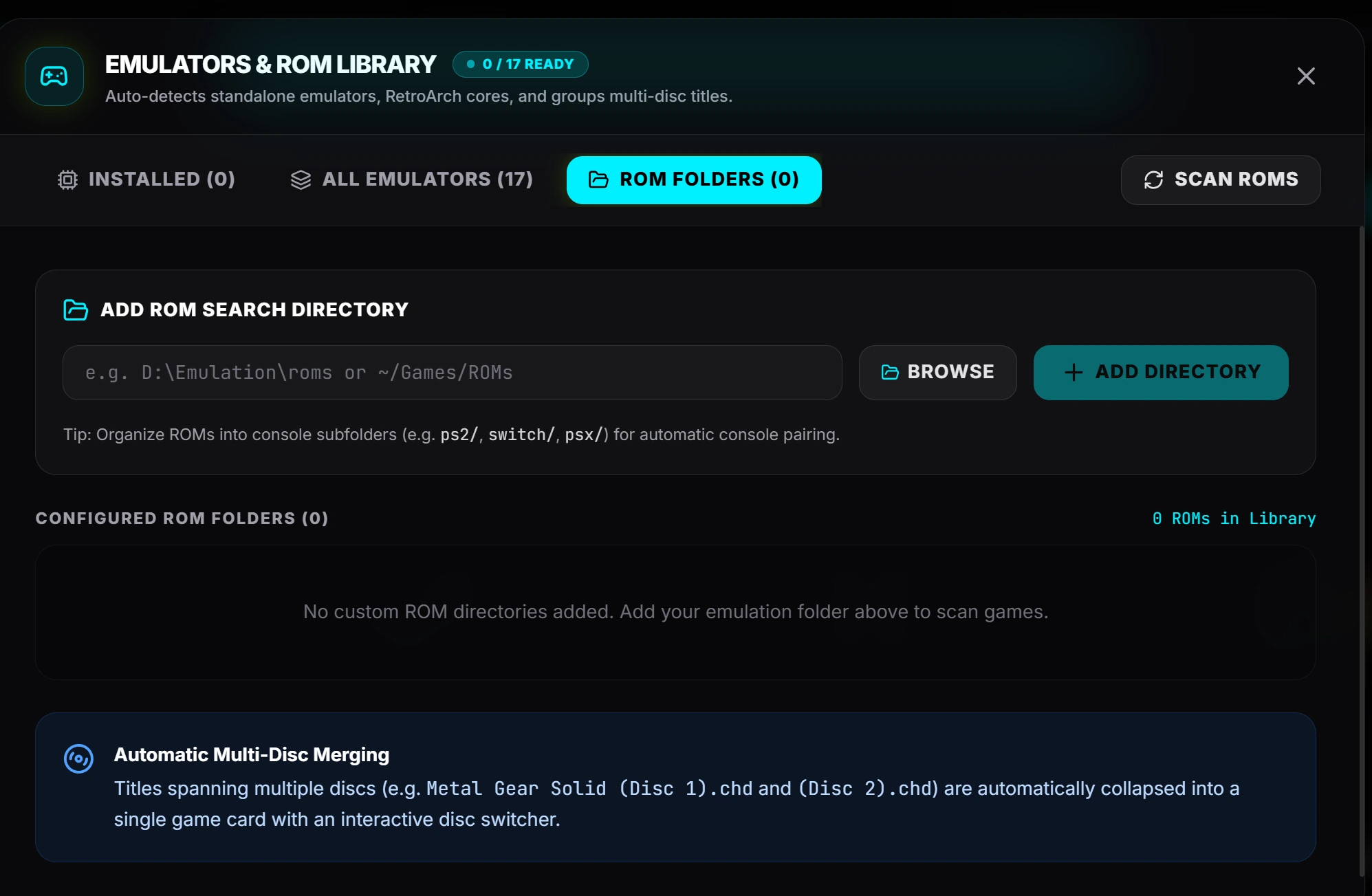
3. 📂 ROM Folders Tab
- Add, edit, and remove custom scan paths (e.g.
D:\Emulation\Romsor/mnt/games/roms). - Immediate re-indexing with the Scan ROMs Now button, complete with real-time progress percentages and detected count toasts.
🛡️ Smart Empty-State Redirection & Multi-User Session Isolation
1. Smart Scanner Redirection & Directory Validation
- When initiating a ROM scan with zero configured directories, Mission Control proactively transitions to the ROM Folders tab and surfaces a high-visibility warning banner:
"No ROM Directories Configured — Please add at least one folder path below where your console ROMs or disc images (.iso, .chd, .pkg, etc.) are stored before scanning."
- If the user filters the Game Intelligence library by
EMULATIONwhen no console titles are detected, a specialized empty-state card appears offering a 1-click shortcut to launch the Emulators & ROMs Hub.
2. Multi-Tenant Authenticated Session Library Merging
- Scan requests pass the authenticated
userIddirectly through Electron IPC tohandle_scan_roms, ensuring discovered games are seamlessly merged into the active user's cloud-synchronized library session (library_session[user_id]) alongside local guest fallbacks.
3. High-DPI & 1440p/1600p QHD+ Responsive Scaling
- The Emulators & ROMs Hub and Game Intelligence Library are fully responsive on 1080p, 1440p (
2560×1440), and 1600p (2560×1600 QHD+) displays. - Modal sizing expands up to
3xl:max-w-7xlwith 3 to 4 column emulator grids, side-by-side ROM folder cards, and fluid 1–6 column library grids without horizontal stretching or letterboxing. - Strict Pydantic command schemas validate
scan_romsandset_rom_pathspayloads with authenticated session context (userId).
🍷 Linux Wine & Proton Compatibility Engine
Mission Control provides a first-class compatibility layer orchestrator for running Windows titles on Linux systems (including Steam Deck, Bazzite, and desktop distributions) with zero terminal friction:
SYSTEM ARCHITECTURE DIAGRAMMERMAID SVG ENGINEGenerating visual flowchart...
Key Wine & Proton Architectural Capabilities
- Runner Selection & Per-Game Overrides:
- Seamlessly switch between GE-Proton, Proton Experimental, Proton-GE, and system Wine on a per-game basis from the Game Details Compatibility drawer.
- Isolated Sandboxed Prefixes:
- Every Windows game receives its own dedicated
WINEPREFIXdirectory (~/.local/share/mission-control/prefixes/<game-slug>), preventing cross-game registry bloat and conflicting DLL overrides.
- Every Windows game receives its own dedicated
- Automated Vulkan Translation (DXVK & VKD3D):
- Automatically injects and configures high-performance DirectX 9/10/11-to-Vulkan (DXVK) and DirectX 12-to-Vulkan (VKD3D-Proton) translation layers with asynchronous shader pipelines to eliminate shader compilation stutter.
- Diagnostic Log Scanner & 1-Click Fixes:
- Parses stdout/stderr logs in real time to catch missing redistributables (DirectX, Visual C++ runtimes, .NET Framework) and surfaces actionable 1-click remediation advice directly in the UI.